Bylt Capital is the first funding platform where business owners can track their advances across multiple lenders, request renewals, and follow every application and document, all in one place. It's free, and you don't have to apply for anything.
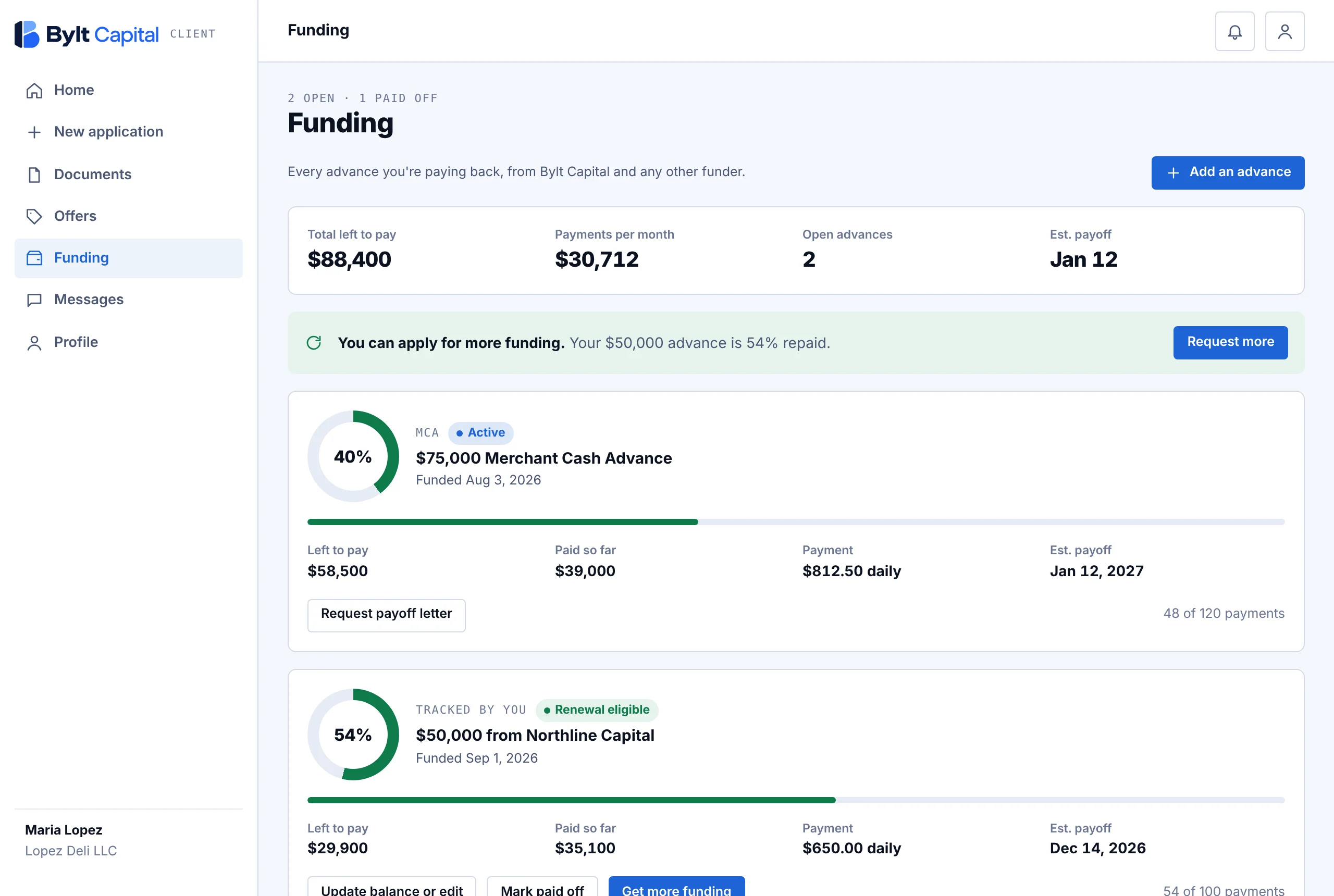
On a computer. Example account with sample data.
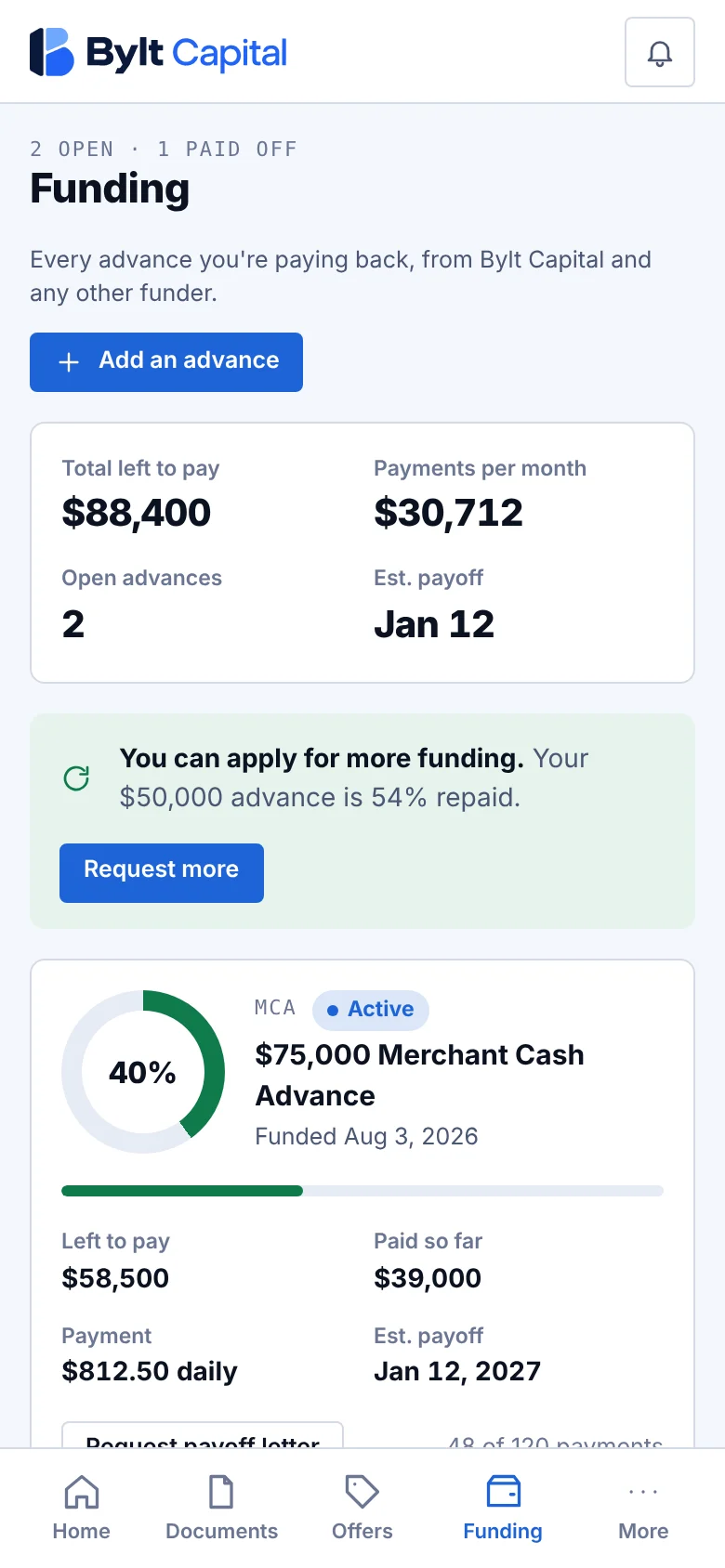
On your phone.
Most funders show you only their own balance, in their own portal. The Bylt Capital tracker puts every advance side by side, so you can see your full picture before you take on more, or before someone tries to sell you more.
See what you owe across every funder, added up, instead of logging in to separate portals.
Daily and weekly payments from every advance turned into one monthly number you can plan around.
Know when each advance ends and when your cash flow frees up.
Each advance shows when it's about half paid, so you know when renewal options open up.
Track only. Apply for funding later if and when you want to, from the same account.
Works in your browser on a phone or computer. Your account is protected with a passkey or authenticator app.
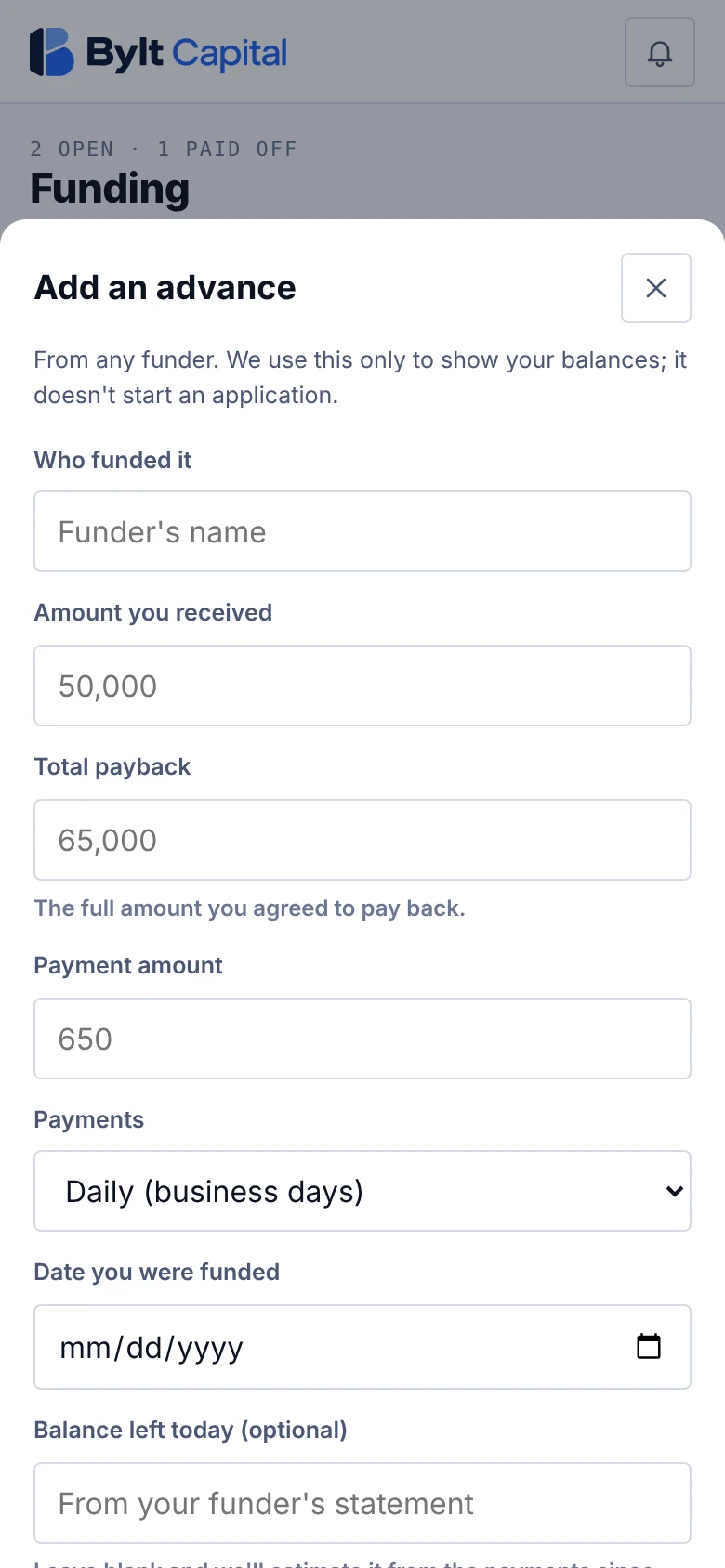
Adding an advance.
Use Start tracking. Enter your name, business, email and phone, then secure the account with a passkey or authenticator app.
For each funder, enter the amount you received, the total payback, the payment, daily or weekly, and the date you were funded. Your contract has all of it.
Type the balance from your funder's latest statement, and the tracker continues from there with each scheduled payment.
See your total balance, monthly payments and payoff dates. Edit an advance, update its balance, or mark it paid off when it's done.
Yes. Creating an account and tracking your advances is free, and you never have to apply for anything.
No. You can use your Bylt Capital account only to track the advances you already have, from any funder.
No. Adding and tracking advances doesn't involve a credit check. A soft credit pull happens only if you choose to apply for funding.
Any advance you're paying back with daily or weekly payments, from any funder. Bylt Capital advances appear automatically.
Balances are estimated from the amount, payback, payment and funding date you enter, and they move forward with each scheduled payment. For an exact figure, type today's balance from your funder's statement, and update it whenever you like.
No. We never contact your funders. The advances you add are used to show your balances and payoff dates.
You, and your Bylt Capital funding team, so they can help when you're ready for a renewal or better terms. See our Privacy Policy.
Yes. When an advance is about half paid, it shows as renewal-eligible, and you can request more funding from the same screen.
No application. No credit check. Just every balance, payment and payoff date in one place.
